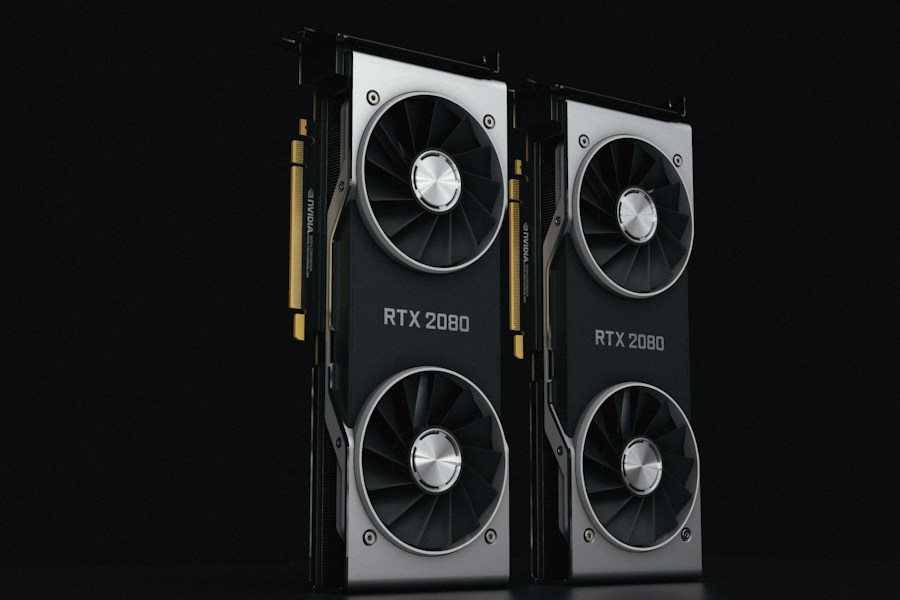
When you’re looking to buy a new graphics processing unit (GPU), there’s a sea of information out there. Websites and publications offer reviews, benchmarks, and recommendations, but not all sources are created equal. This article will guide you through how to make an informed decision by looking at two prominent tech review outlets: Tom’s Guide and TechRadar. We’ll dissect their approaches, strengths, and weaknesses, so you can navigate their content like a seasoned pro.
Understanding Your Needs: The Foundation of GPU Selection
Before you even look at a review, it’s crucial to understand what you want your GPU to do. A GPU isn’t just a component; it’s the engine that powers your visual experience. Are you a hardcore gamer chasing the highest frame rates at 4K resolution? Or are you a content creator who needs raw power for video editing and 3D rendering? Perhaps you’re a casual user looking to upgrade for a smoother everyday computing experience or light gaming.
Gaming: The High-Octane Pursuit
For gamers, the primary concern is performance. This translates to frames per second (FPS) in various games at different resolutions and graphical settings. Understanding your target resolution (1080p, 1440p, or 4K) and desired frame rate is paramount.
Key Gaming Metrics to Watch For
- Frames Per Second (FPS): The most direct measure of gaming performance. Higher is better.
- Resolution: The number of pixels on screen (e.g., 1920×1080 for 1080p). Higher resolutions demand more GPU power.
- Graphical Settings: The level of detail in a game (e.g., Ultra, High, Medium). Higher settings increase the load on the GPU.
- Ray Tracing Performance: A rendering technique that simulates realistic lighting and reflections, demanding significant GPU resources.
Content Creation: The Productivity Powerhouse
If your GPU will be a workhorse for tasks like video editing, graphic design, 3D modeling, or streaming, your needs shift. While gaming performance is often a good indicator, specialized software can leverage GPUs in unique ways.
Beyond Gaming: Content Creation Workloads
- Video Editing Benchmarks: Tests measuring rendering times and playback smoothness in popular video editing software (e.g., Adobe Premiere Pro, DaVinci Resolve).
- 3D Rendering Times: How quickly a GPU can produce a 3D image or scene.
- Application-Specific Optimizations: Some GPUs are better optimized for certain creative applications due to driver improvements or hardware features.
- VRAM Capacity: The amount of video memory on the GPU. This is crucial for handling large datasets, high-resolution textures, and complex projects.
Budgetary Constraints: The Financial Compass
No discussion about hardware is complete without considering cost. GPUs span a wide price range, from budget-friendly options to exorbitant enthusiast cards. Your budget will be a significant factor in narrowing down your choices.
Finding the Sweet Spot: Value for Money
- Price-to-Performance Ratio: How much performance you get for the money spent. This is often more important than raw power if your budget is limited.
- Total Cost of Ownership: Beyond the initial purchase price, consider power consumption and potential upgrades.
Tom’s Guide: A Deep Dive into Their GPU Review Methodology
Tom’s Guide has established itself as a reliable source for technology reviews, including GPUs. Their approach often aims for a comprehensive overview, blending objective data with practical usage insights. When you land on a Tom’s Guide GPU review, you can expect a structured and informative read.
What to Expect from a Tom’s Guide GPU Review
Tom’s Guide typically provides a detailed breakdown of their testing methodology, which is a good sign. They often use a consistent set of games and applications to benchmark their review units, allowing for a degree of comparability across different GPU reviews on their site.
Core Components of Tom’s Guide Reviews
- Benchmark Data: This is usually the backbone of their reviews. They present charts and graphs showing how the GPU performs in various scenarios.
- Real-World Gaming Tests: Beyond synthetic benchmarks, they often describe their experience playing actual games with the GPU.
- Build Quality and Design: They’ll often comment on the physical aspects of the GPU, such as its cooler design, size, and the number of ports.
- Power Consumption and Thermals: These are crucial for understanding the practical implications of using the GPU in your system.
Strengths of Tom’s Guide
- Clear and Concise Writing: Their reviews are generally easy to understand, even for those who aren’t deeply technical. They avoid overly jargon-filled language.
- Consistent Testing Methodology: When you’re comparing multiple GPUs reviewed by the same outlet, consistency in testing is a golden ticket for making apples-to-apples comparisons.
- Focus on Value: While they review high-end cards, they often try to balance performance with cost, looking for GPUs that offer good bang for your buck.
Potential Weaknesses of Tom’s Guide
- Breadth vs. Depth: Sometimes, in their effort to cover a wide range of GPUs and use cases, the depth of analysis for a single card might be shallower than a specialist publication.
- Timeliness: Like many large review sites, there can be a lag between a GPU’s release and its full review, especially for less prominent models.
TechRadar: A Different Perspective on GPU Reviews
TechRadar also offers extensive coverage of GPUs, often with a slightly different editorial flavor. They tend to be very current with new releases and often provide broad overviews of the market landscape. Think of them as your go-to for staying on the cutting edge.
TechRadar’s Review Approach and Content
TechRadar’s GPU reviews often highlight the latest trends and technologies. They are good at contextualizing new hardware within the broader market and explaining what it means for consumers.
Key Elements of TechRadar GPU Reviews
- Performance Benchmarks: Similar to Tom’s Guide, benchmarks are a central part of their reviews, though the specific games and applications might differ.
- User Experience Focus: They often emphasize how the GPU feels in day-to-day use and how it integrates into a typical user’s setup.
- Comparison to Competitors: TechRadar is usually good at putting a new GPU into perspective by comparing it directly to its closest rivals.
- “The Good, The Bad, and The Verdict”: Many of their reviews feature a clear summary section that helps you quickly grasp the pros and cons.
Strengths of TechRadar
- Up-to-Date Coverage: They are generally very quick to review new GPU launches, ensuring you have information when it’s most relevant.
- Market Context: TechRadar excels at explaining where a new GPU fits into the current market, helping you understand the competitive landscape.
- Accessibility: Their reviews are written in a way that’s accessible to a broad audience, making them a good starting point for many.
Potential Weaknesses of TechRadar
- Less Granular Benchmarking: While they provide benchmarks, they might not always go into the same level of detailed statistical analysis as some more niche hardware review sites.
- Occasional Overlap in Content: Due to the nature of tech news, you might find some of the introductory or concluding remarks in their reviews to be somewhat repetitive if you’re reading many of them.
Direct Comparisons: Tom’s Guide vs. TechRadar
When you’re standing at a crossroads, deciding between two paths, it’s helpful to know their characteristics. Tom’s Guide and TechRadar, while both excellent resources, have subtle differences that might make one a better fit for your specific needs at a given moment.
Testing Methodology and Benchmarks
Both sites rely on benchmarks, but the exact suite of tests and the specific games or applications used can vary. This is a critical point. If you’re primarily interested in a specific game, cross-referencing how both sites test that game can be very insightful.
Bridging the Gap: Understanding Benchmark Differences
- Consistency is Key: For comparing GPUs within the same site, their consistency is a major advantage.
- Varied Test Suites: When comparing across sites, recognize that slightly different test suites can lead to minor variations in reported performance.
- Synthetic vs. Real-World: Pay attention to whether benchmarks are synthetic (designed to push hardware to its limits in a controlled way) or represent actual gaming/application performance.
Writing Style and Audience Focus
Tom’s Guide often feels more like a comprehensive guide, aiming to educate the reader thoroughly. TechRadar can sometimes feel more like a news outlet that’s delivering timely reviews and market analysis.
Tailoring Your Readership
- For the Deep Diver: If you want to understand every nuance, Tom’s Guide might be your preferred starting point due to its structured approach.
- For the Trend Tracker: If you want to know what’s new and how it stacks up against the competition right now, TechRadar often excels.
Value and Price Considerations
Both sites address price, but their emphasis can differ. Tom’s Guide might be more inclined to highlight the “best value” picks, while TechRadar might focus on the immediate competitive pricing of a new launch.
The Dollars and Cents of It All
- Budget-Focused Reviews: Look for dedicated “best budget GPU” or “best value GPU” articles on both sites.
- Price Fluctuations: GPU prices are notoriously volatile. Always check current pricing from multiple retailers regardless of the review date.
Making Your Decision: A Pragmatic Approach
| Metric | Tom’s Guide | TechRadar |
|---|---|---|
| Review Depth | Comprehensive with detailed benchmarks and real-world testing | In-depth with focus on usability and performance in everyday scenarios |
| Benchmark Types | Gaming, synthetic, productivity, and thermal performance | Gaming, synthetic, and power consumption |
| Update Frequency | Monthly updates with new GPU releases | Quarterly updates and major refreshes on new tech |
| Price Analysis | Detailed price-to-performance ratio and market trends | General price guidance with focus on value for money |
| User Accessibility | Technical but accessible to enthusiasts and pros | More beginner-friendly with simplified explanations |
| Overall Recommendation Style | Data-driven with clear pros and cons | Balanced with emphasis on user needs and scenarios |
Ultimately, the best way to choose your GPU review source is to use both as complementary tools. Think of them not as competing entities but as different lenses through which to view the same hardware.
A Multi-Source Strategy
Don’t rely on a single review. When you’re considering a GPU, read reviews from both Tom’s Guide and TechRadar. Look for common themes and any significant discrepancies.
The Power of Cross-Referencing
- Identify Consensus: If both sites praise a GPU’s performance or criticize its thermals, that’s a strong indicator.
- Investigate Differences: If one site raves about a GPU and another is lukewarm, dig deeper. What specific tests or use cases might be leading to the different conclusions?
- Consider the Reviewer: Some sites have individual reviewers whose styles and preferences you might come to recognize and trust.
Beyond the Reviews: Community and Expert Opinion
While Tom’s Guide and TechRadar are excellent starting points, don’t neglect other valuable resources. Online forums, enthusiast communities, and dedicated hardware websites can offer additional perspectives.
Expanding Your Horizons
- Reddit Communities: Subreddits like r/buildapc, r/hardware, and specific GPU subreddits can be treasure troves of user experiences and niche information.
- YouTube Reviewers: Many YouTubers offer detailed benchmark breakdowns and visual comparisons, which can be very helpful.
- Professional Hardware Sites: Websites specifically dedicated to PC hardware often have extremely in-depth technical reviews.
By combining the broad overviews and structured analysis of Tom’s Guide with the timely market context and accessible reviews of TechRadar, and then supplementing with community insights, you’ll be well-equipped to make a confident decision about your next GPU. This multi-faceted approach is like having a detailed map, a compass, and the wisdom of experienced travelers all at your disposal.
FAQs
What are the main criteria used by Tom’s Guide and TechRadar when reviewing GPUs?
Both Tom’s Guide and TechRadar evaluate GPUs based on performance benchmarks, price-to-performance ratio, power consumption, cooling efficiency, and feature sets such as ray tracing and DLSS support. They also consider real-world gaming and productivity tests to provide comprehensive reviews.
How frequently do Tom’s Guide and TechRadar update their GPU reviews?
Tom’s Guide and TechRadar regularly update their GPU reviews, especially when new models are released or when significant driver updates impact performance. Updates typically occur several times a year to ensure the information remains current.
Are the GPU reviews from Tom’s Guide and TechRadar suitable for both gamers and professional users?
Yes, both sources provide insights relevant to gamers and professional users. They cover gaming performance extensively and also assess GPUs for tasks like video editing, 3D rendering, and other productivity applications.
Do Tom’s Guide and TechRadar provide price comparisons and availability information in their GPU reviews?
Yes, both websites include price comparisons and discuss the availability of GPUs, helping readers understand the market context and make informed purchasing decisions based on current pricing trends.
Can I rely solely on Tom’s Guide or TechRadar for making a GPU purchase decision?
While Tom’s Guide and TechRadar offer detailed and reliable reviews, it is advisable to consult multiple sources and consider personal needs, budget, and specific use cases before making a final GPU purchase decision.
Leave a Reply